Showing posts sorted by date for query social media. Sort by relevance Show all posts

10/14/16

Passive Voice and the Zombie Rule

For lawyers, writers, and researchers, passive voice can be the right choice.  Or not.

.
Edits of my work do come back with notations that I've used the passive voice here and there.  

I am not ashamed.  

Sometimes, it's okay.  That's right, folks.  Sometimes, passive voice gets to stay.  

Finding The Passive Voice


Before deciding when and if passive voice is acceptable, you need to find it.  There's a fun grammar hack for ferreting out passive voice in your writing.  

It's called the "zombie rule."

I'm not sure who invented this -- maybe rjohnson, USMC professor --- but it's fun and it's fast.  All you do is stick the phrase "by zombies" after the verb.  If it works, then it's passive voice.


The Zombie Rule: Examples

.
If the sentence makes sense with zombies, then YIKES you've got passive voice.  Examples:
  • Those dishes have already been washed [by zombies].  (Yep.)
  • The court ruled the statute was [by zombies] unconstitutional.  (Nope.)
  • The rumor didn't spread by itself - it was leaked [by zombies] in social media. (Yep.)
  • SCOTUS released [by zombies] its opinion today.  (Nope.)
For more on the Zombie Rule, check out Snarky Grammar Guide and Grammarly.
.

Passive Voice Has Its Place

.
There are times to use passive voice.  I'm not going to discuss them here.  Suffice to say, it's acceptable if it's adding value to your writing.  You know this.  

The University of Wisconsin finds passive voice works when you are:
  • creating an authoritative tone; or
  • emphasizing the action rather than the actor.
Purdue allows passive voice when it is "rhetorically effective." 

The American Bar Association has an article discussing passive voice in legal writing.


(Go to the above sites to read more detail and get more examples.)


10/5/15

Fair Use and Copyright Infringement: The 2015 Dancing Baby Case and You, Dear Reader

There’s been lots of discussion about a recent Fair Use case that has come down from the United States Court of Appeals for the Ninth Circuit, Lenz v. Universal Music Corp., No. 13-16106 (9th Cir. Sept. 14, 2015).  Forbes, for example, lets its readers know that from this new court opinion, “[i]f a copyright holder ignores or neglects our unequivocal holding that it must consider fair use before sending a takedown notification, it is liable for damages.”
.

Here’s what you need to know, Dear Reader, regarding “fair use” and “copyright infringement” now that the Dancing Baby Case opinion has been published.

.
.

The Dancing Baby YouTube Video: Mommy Files a Lawsuit


Maybe you’ve heard of the "Dancing Baby Case."  Long ago, on February 7, 2007, Stephanie Lenz  sat down at her computer.  She went to the YouTube website and uploaded a 29-second personal video she had made of her two little kids dancing in the kitchen to Prince’s song, “Let’s Go Crazy.”  She shared the video on YouTube with anyone that wanted to see it.  

She named the video of her babies dancing in the kitchen, “Let’s Go Crazy.” In the video, early on, she asks her toddler son “what do think of the music?” and he responds by bouncing up and down.  

Meanwhile, over at Universal, a man named Sean Johnson had the full-time job of monitoring videos that were uploaded to YouTube for copyright infringement of Universal’s artists.  Among Universal’s artists was Prince, and it was Universal’s job to enforce and protect Prince’s song copyrights.

Sean Johnson was Universal’s man on the scene; employed an assistant in their legal department who every day went to the YouTube website to search for uploads of Prince’s music.  If that search came back with search results for a Prince song, then he would watch the video on YouTube.  

He made the initial call on whether or not the video "embodied a Prince composition" by making “significant use of . . . the composition, specifically if the song was recognizable, was in a significant portion of the video or was the focus of the  video."  If he found something objectionable, he would share it with others at Universal.  Universal would then notify YouTube that the video should be taken down as a copyright violation if Universal believed the “composition was the focus.”

In the Universal review process, Stephanie Lenz’s home video of her kids dancing in the kitchen to a Prince song was considered to meet their criteria. YouTube was notified by Universal to take the Dancing Baby Video down.  YouTube did.

Result?  Mommy Stephanie Lenz filed suit under the Digital Millennium Copyright Act ("DMCA") section 17 U.S.C. § 512(f), arguing that Universal misrepresented in its takedown notification that her 29-second video was an infringing use of Prince’s work. 

What the Lenz case holds:

“Her claim boils down to a question of whether copyright holders have been abusing the extrajudicial takedown procedures provided for in the DMCA by declining to first evaluate whether the content qualifies as fair use. We hold that the statute requires copyright holders to consider fair use before sending a takedown notification, and that failure to do so raises a triable issue as to whether the copyright holder formed a subjective good faith belief that the use was not authorized by law. We affirm the denial of the parties' cross-motions for summary judgment.”

The Dancing Baby Case and You, Dear Reader


It’s an important case for you, Dear Reader, no matter which side of the copyright you’re on:   whether you are a writer, photographer, or designer trying to protect your copyright, or you are a blogger or ebook author who wants to use an excerpt or image that may be protected by copyright law.  

Here are some things for you to know:

Lenz Is Not the End of the Road on Fair Use


1.  This is a recent federal appeals court decision in a fight that lasted 7 years.  It’s a big deal.  

The only higher court than a federal appeals court is the United States Supreme Court.  Whether or not this case will be appealed to the High Court is one question (actually, a petition for writ would be filed).  

First, they may request a full  hearing of all the justices in the Ninth Circuit in what’s called a “motion for rehearing en banc.”  If the motion is filed and it’s granted, the whole case gets reconsidered by all the justices on the Ninth Circuit, not just the ones that were assigned to hear the case and who issued this opinion.  

Even if the losing party in this case wants SCOTUS to review the Ninth Circuit decision, and can do so after the rehearing motion, odds are not in their favor.  First, SCOTUS only agrees to hear a handful of cases that request review.  Second, a review is no guarantee that things would go their way; they could lose again.  

My point:  this opinion isn't quite jelled yet, it could change.  Lawyers know that the odds aren't high that a rehearing is going to change things (if it were granted), so many read the current opinion as speaking for the Ninth Circuit.  And the odds are even more remote that SCOTUS is going to change things, and even if it did, this opinion will be good law in the Ninth Circuit until it does.  

So, Lenz is probably going to become finalized law ... unless it's not after additional review.  There is a remote chance that this fight isn't over.  


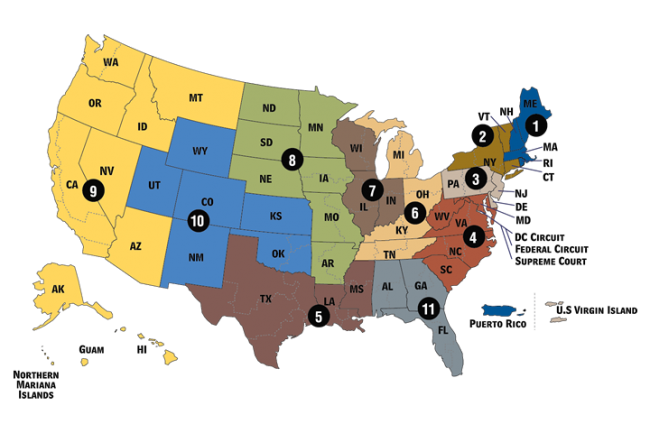
2.  This is a decision out of the Ninth Circuit.  There are several regions, or circuits, in the United States.  Texas, for instance, sits in the Fifth Circuit.  

Each federal court of appeals in each federal circuit has the independent authority of reviewing cases that come before it within its jurisdiction.  These independent reviews may or may not agree, or jive.  In fact, controversies and opposite rulings in different federal circuits are often the reason that SCOTUS does grant writ and take review: to make the final call when two or more circuits don’t agree on the answer to a legal question or issue.

My point:  Lenz may or may not be final law for the Ninth Circuit (yet).  Once it’s final, it may be considered as a respected federal court decision by everyone in this country.  But it’s not the end of the road on this issue.  If a similar case were to be heard before the Fifth Circuit, for instance, would that court answer in the same way?  We don’t know.   It’s possible for a similar case to be heard in another circuit (YOUR circuit) and that circuit rule opposite from the Ninth Circuit in Lenz.  

Lenz Doesn’t Answer Every Question on Fair Use


3.  Another point.  Lenz is not a case with clear cut answers for everyone.  Within Lenz, issues are left unclear and not every question is answered.  Lots of lawyers are chatting with each other about what all Lenz will mean in future copyright infringement cases.  For instance:


  • Is “fair use” a particular type of affirmative defense or is it not an affirmative defense at all?
  • What exactly does this mean for those companies that sent out those robotic, automated takedown requests in bulk? 
  • If someone wants to send a takedown notice, then they have to consider fair use — but Lenz explains the “…copyright holder’s consideration of fair use need not be searching or intensive.”  So, how does a copyright holder establish in evidence that they considered fair use before they send their notice?  Is simply saying “I considered the fair use doctrine in this situation and determined it didn’t apply” going to be enough? 


4.  What we do know from Lenz (this isn’t an exhaustive list):


  • If you are going to send someone a takedown request under Section 512(c), then you have to consider Fair Use;
  • Deciding if something is a knowing misrepresentation is done by a subjective (not objective) standard;
  • No damages are available for “impairment of … speech rights” but nominal damages are available to plaintiffs suing under Section 512.


The Dancing Baby Case and You


What does this mean to you, Dear Reader?  

Well, we have a federal appeals court decision on the books now that helps people who want to argue they have a fair use right to use someone else’s work without it being copyright infringement.  It should make humans check the work of their robots before they automatically demand a takedown. 

Given the current state of web publication (including social media), there’s a lot of grabbing of content and images (ESPECIALLY IMAGES) and this case helps those people.  The people using the stuff.  Arguably.  

But Lenz is muddy water.  So, while the Dancing Baby Case is getting lots of attention (and kudos to the Electronic Frontier Foundation (EFF) for all their hard work here), this case isn’t something that provides an easy guide to the people out there who own copyrights or those who want to use stuff they find on the web that is copyrighted.  

The reality remains that there’s a lot of copyright infringement going on right now, and at the same time, there’s a lot of bullying of nice and decent people who have a fair use right to use an image or other work.  There are good guys and bad guys on both sides of the issue:  using stuff fairly and infringing on copyrights wrongfully.  

And Universal was challenged for not considering "fair use" before sending YouTube that takedown notice.  But if Universal had stated, "we considered fair use and found it lacking here," then would they have met Lenz's standard?  

Will Lenz really work to block bullies from blocking fair use through manipulation of DCMA takedown notices?  

Bottom line:  You need to ask a lawyer if you have a question in your particular circumstance.  Copyright infringement and fair use remain complicated legal issues, and Lenz does NOT make things clear.   

For more, read:

Big, Confusing Mess Of A Fair Use Decision Over DMCA Takedowns at Techdirt.


6/12/15

Google Plus, Is It Dead or Dying? Google+ Predictions in June 2015

First off, you should know my bias: I like Google Plus and I hate Facebook. So I'm hopeful that Google+ is going to survive and thrive as a social media alternative to Facebook.

I look at Google Plus as an organized, helpful place for professionals and adults. There are several reasons I enjoy Google Plus.
.

Why I Like Google+ 


No one site is for everyone, and maybe you like Facebook. Heck, maybe you like LinkedIn. More power to you! To each his own.

However, for me I enjoy Google Plus for a number of reasons:

  1. I can count visiting my G+ site (page or profile) without having to worry about anything Kardashian popping up. 
  2. Google Plus communities are active with adults who know their stuff. I'm active in the #Evernote community for instance. Ditto the #Scrivener community. I don't know how I would have learned anything after the basics of Scrivener without those folk in the G+ Scrivener community. It's not the most user-friendly software (but it's a must for writers). 
  3. It's got lots of pix and images to entertain me while I eat lunch at my desk or I'm bored beyond belief on a conference call. 
  4. It's easy to access via my Toolbar and via HootSuite. 
  5. [THE REAL REASON I LIKE IT] Posts on Google Plus appear in the search engine results of Google Everything Search. That's right: Google indexes the posts that are published on GooglePlus. 

I'm Worried Google Plus Will Disappear (I Remember Google Reader) 


Long ago, I loved Google Reader. It loved me back, and it was the happiest of RSS Feed relationships.

Then Google killed off Google Reader, just like that (fingers snapping).  No one asked me, and apparently no one asked or cared about tons (TONS) of other Google Reader fans out there.

When Google wants to kill off one of its products, there's no pardon by the Governor.

It hurt then, and the memory hurts now even though I am happy with Feedly, my new RSS Feed helper. The anxiety of what to do when I learned I was going to have to find something to replace Reader was a real stressor, though, and I'd rather not go through that again.

I work for a living. I need dependable tools that work for me because I have research, writing, and clients that bring me angst enough. So, I am worried in the back of my head about G+ and I know lots of other folk are, too.

Will Google Kill Off Google Plus? 


Last month, there was a big conflab where a bunch of Google Powers That Be announced spiffy new offerings from Mountain View and curious by its absence was any mention of Google Plus. Add to this the departure of the Big Kahuna for Google Plus (Vic Gundotra) and the removal of Google Photos from Google Plus, and things looked pretty bad for G+ .


Many are waiting for the other shoe to drop where there is a quiet announcement that Google Plus is no more as of such-and-such date. I'm thinking that this may be true, but I'm not completely sure it will.

Granted, Google Plus never turned into the monster truck that is all things Facebook. Odds are it never will. Doesn't make Google Plus bad, though. It has its fan base of active users.

Plus, there are reasons for Google to keep G+ around. Guru Mark Traphagen wrote a great article explaining all the reasons why G+ is NOT dead and will not be executed in an April 2015 article entitled, "Google Plus Is Small, But Still Not Dead Yet."

Read Traphagen's piece. It will give you comfort. 

And one more thing. For me, one of the keys to Google Plus is not what it brings to me, but what it brings to Google. 

Go check out your GMail account, and down on that left sidebar you can scroll down to see all your Circles there, duplicating email messages within them that are also in your mailboxes (at the top of the sidebar).

Google has integrated its G+  Circles with email so that I can do things like email someone on Google Plus whose real email I don't know (think about that, stalker wannabes). 

 That's just one example of how Google Plus helps Google because G+ helps Google know a heck of a lot more about identities of me and my people as well as connections, interests, etc. And that's all really important stuff for advertising.

 And advertising is how Google makes its money. 

 So as long as I see those Circles in my Google Mail,  I'm going to sleep okay at night and not worry that G+ is sitting on Death Row.

6/23/14

Evernote Is Fabulous Must-Have Software That Just Keeps Getting Better

Evernote is fabulous, and it seems that every week I find new things to love about this software program.  Granted, I've upgraded to the paid version (Premium) but there's still a wonderful amount of help that Evernote's basic, free version gives to anyone working with a keyboard.

This week, for example, I began right-clicking on the little green elephant head in my desktop toolbar and choosing "clip screenshot" and then flipping into Evernote to email that screenshot to clients.  Such a time saver - plus for many people, the visual (screenshot) seems to work better as an educational tool than a lengthy email message.  Go figure.

Love this new find.  It's a great, fast way to send them examples of how their stuff is appearing in Google Everything Search (top spots above the fold in multi-million search results); to send them breaking news stories for discussion in their blogs (lots happening in law these days, e.g., the ABA is okay with social media research on jury panels); and much more.

This is just one teensy example of all the cool tricks that Evernote contains, and how it is fun to discover them as you continue to delve into Evernote's depths.

You really should check Evernote out.  I think you may grow to love it, too.  

Here's a short, well-reviewed video by Anson Alexander that gives you a nice overview.


2/10/14

Hashtag Tip: Hashtagify.Me is Great Help in Choosing Great Hashtags (for Lawyers and Everyone Else)

hashtag, number sign, public domain image
Parents and children don’t always speak the same language, of course. Sheldon Cooper and Penny can get confused in their conversations, too. Not everyone communicates with the same vocabulary, which is fascinating and wonderful except when you’re considering hashtags in social media.

Hashtags have to be somewhat of a common denominator among lots of folk's vocabulary or they’re not doing much good.

Suffering Hashtag Frustration?


Which brings me to a conversation I had with a frustrated client a couple of weeks ago who is a lawyer dipping his toe into Twitter. Hashtags? If he had any hair left on his head, it would be gone now just over his frustration of finding hashtags to include with his tweets.

Hashtags are Important to Twitter and Google Plus and Facebook and More


One of the hurdles lawyers face with Twitter or Google+ (when they decide to delve into social media at all) is that lawyers think like lawyers. I remember being told by a UTLaw professor (Treece, Torts) that the theme of law school wasn’t to learn the law, it was to learn to think like a lawyer. To think differently when I left the building than when I first entered. Every lawyer out there has heard the same thing, countless times. “Thinking like a lawyer” - the reason for the Socratic Method, right? (Or at least one of them.)

It’s true, too. Lawyers do think differently, and this is great when considering all the potential ramifications of a contract being negotiated or when negotiating the settlement of a wrongful death case - but it’s sometimes problematic when attorneys are hunched over their keyboard, deciding what terms they should use to index their social media post or tweet.

Hashtags are tools you can use to index your tweet or post to help others find your content even if they aren’t following you, aren’t in your community, etc. Hashtags are helpful.

In indexing their social media with hashtags, lawyers may toss off a couple of words with an “#” in front and think “that’s that.” However, those hashtags may not be as advantageous to the attorney as other choices can be.

Lawyers tend to use words with which they are familiar, or which apply to their particular case or deal, rather than stopping to consider that these words may not be the best choice in drawing potential readers to their content (even sophisiticated ones).

Hashtags, after all, are just ways to index what you’ve written so others can find what you’ve shared. Consider these alternatives: Litigation vs. Lawsuit; Coverage vs. Insurance; Mortgage vs Loan; Housing vs. Property or RealEstate; Accident vs. Crash.

Lawyer or not, anyone using hashtags should be choosing words that they believe are familiar to their intended reader.  If you are writing for teenagers, then consider what words will work best as hashtags for them, not the words that work best for you and your peers.  You get the idea.

Try Hashtagify.me 


One option? Synonyms, sure. However, there’s a free service online that can help you find hashtags to use as well as discovering trending hashtags and more. It’s Hashtagify.me - try it and see if what your chosen hashtags provide as options when you input them into the Hashtagify.me word machine. (By the way, Hashtagify.me has the Highest Trust Rating at ScamAdviser).

1/2/14

Cool Public Domain Images: Free Photographs of Golden Age Movie Stars on Wikimedia Commons (Publicity Stills)

Images are becoming more and more important for websites and blogs, given the growing popularity of Pinterest and Google+, among other social media sites.  Finding quality photographs to accompany your words isn't hard to do on the web; however, tracking down great images in the public domain is not as easy.

You want public domain images because they are free to use.  Images (photos, infographics, clip art, etc.) are protected by copyright laws and they are not free for your use in your blog post or on your web page unless the creator has released their copyright, or the copyright protections do not apply for some reason.

For instance, federal government images are not protected by copyright and you are free to use images found at sites like NASA and the CDC.  

Publicity Stills: Another Source of Public Domain Images

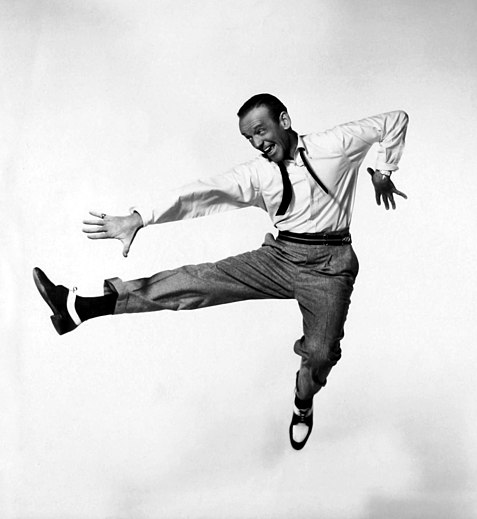
Another great find for public domain images:  publicity stills that are in the public domain.  Like Fred Astaire dancing in promotion of the film "Daddy Long Legs" above, of the image below of Elvis Presley promoting "Jailhouse Rock."

Granted, both of these images are of stars dancing but maybe I'm in a dancing mood this morning - it's the first working day of 2014 and I'm excited about this year!  However, you can find lots of other great photographs to choose from by going to Wikimedia Commons and searching for "film stills"  or "publicity photos."  Lots to choose from - with famous faces and people doing things other than dancing.

These Hollywood Golden Era movie stills are free from copyright protection and in the public domain because they were published in the United States between 1923 and 1963 and any copyright was not renewed.  However, publicity stills by definition are generated for publicity and many, like news releases, are disseminated for widespread use with a release of copyright in order to promote an actor or a movie or a TV show.

You need to check before using newer images, however.  For details on more recent imagery, visit CreativeClearance.  Newer film stills may retain their copyright and you'll need to pay for their use in your publication (and a blog is an online publication).

From Wikimedia Commons:
As explained by Additional source information: This is a publicity photo taken to promote a film actor. As stated by film production expert Eve Light Honathaner in The Complete Film Production Handbook, (Focal Press, 2001 p. 211.):  "Publicity photos (star headshots) have traditionally not been copyrighted. Since they are disseminated to the public, they are generally considered public domain, and therefore clearance by the studio that produced them is not necessary."

1/1/14

Google+ : One Very Big Reason Why Bloggers Should Use Google Plus

Google Plus is getting more and more traffic and more and more users … and while lots of my clients tell me that they don’t have time, and don’t see the need, to get involved in social media, it’s important to remember that Google+ is not the same as other forms of social media out there.

Lawyers blogging on the web, as well as other bloggers, may not have time for Twitter or the desire to be personally involved on Facebook (or trust Facebook, for that matter), and these are valid concerns. 

However, in 2014, it’s going to be good for anyone committing time and money to blogging to become involved on Google+. 

Which means, even if you ignore Twitter and LinkedIn and Facebook and Pinterest and all the other social sites out there, you might want to consider Google+ as being worth your time investment.

Why Is GooglePlus important for Bloggers? 

Report Finds Google+ Plus Ones Second Only to Page Authority in Getting Ranking in Google Search Results


If you want to be in the top search results in Google’s Search Engine, and most everyone does since Google is the dominant search site (overwhelmingly so over competitors like Bing, Ask, and Yahoo), then Google+ can help you.

Here’s how: when content is mentioned in Google+, those in the know are reporting that Google Search Results will rank those GooglePlus mentions higher in the search results than the original content source site. Content is mentioned in Google+ via “plus ones”— this is where a Google+ post (and remember GooglePlus is a blog post really, see my earlier post on this here) placed upon GooglePlus and published there in a Google+ profile entry is then “liked” via some other GooglePlus member (or you, because you can +1 your own fine self).

Moz.com has studied Google search results, and has found that +1s (plus ones) on GooglePlus are very (VERY) high in getting content to the top in Google Search Results. 

In fact, Moz.com found that Google Plus Ones are the SECOND MOST IMPORTANT FACTOR in how a site is ranked in Google Search. Only page authority has more power. Here’s an excerpt from Moz.com’s chart showing how Google+ impacts Google Search Results:

GooglePlus. moz.com, seo
Screenshot of the Moz.com 2013 Report  

To review the entire 120 leading search marketers' expert opinions on over 80 ranking factors, combined by Moz.com into their 2013 Correlation Study, click on the image above.  

Want to place an invitation to "plus one" your blog content in Google Plus on your blog?  Here are the instructions from Google's Developers for placing a PlusOne button on your site.  


12/3/13

RebelMouse Review: What is RebelMouse, Anyway? Is RebelMouse Worth My Time - or Yours?

A notice hit my Gmail inbox today: BisnarChase, a California personal injury law firm, has joined RebelMouse.

Now, I recall joining RebelMouse, too, several months ago. And I’ve never gone back to the RebelMouse since then.


RebelMouse is a Social Media Aggregator.
 However, this notice made me think I might want to give RebelMouse another looksie, so today I went over to RebelMouse and looked at my RebelMouse page.

This afternoon, I added my Pinterest feed to RebelMouse as well as my LinkedIn feed. (I had originally added only Google+ and Twitter). I added my blog feeds, too.

What does this mean? RebelMouse Collects Your Social Media Stuff

It means that when you go to my page on RebelMouse, you will see a nice display of all the things that I’ve added recently on all these sites: my pins, my tweets, my G+ posts, my LinkedIn updates.

Which seems like a nice thing to have all in one place, I suppose. I get why it's being described as a "social aggregator."

Yes, I can go to other RebelMouse pages and see what someone else (or something else - like HuffPo) is posting on these various social media pages - but will I?

Posting on RebelMouse - It's a blog, too?

RebelMouse also offers the opportunity to post on RebelMouse. So I did. And I shared that RebelMouse post on Google+ using the RebelMouse share feature.

However, I’m not sure what I’m suppose to get from RebelMouse. It’s easier for me to post on Google+ and have that post automatically appear on RebelMouse than vice versa (I had to enter new text for the shared post to G+ from RebelMouse).

Also, there’s not an option to share to LinkedIn from RebelMouse, a decided disadvantage but understandable given LinkedIn’s reclusiveness, social-media wise.

Will I return to RebelMouse?  That’s a big question.  I'm not tempted to do this; there is no siren's song akin to Pinterest.

I’m going to play around with RebelMouse for a couple of days or so. However, I’m not breathless with anticipation of a Great New Find here.

Maybe I’ll learn more this week to change my mind. I’ll keep you posted.

Here’s what RebelMouse explains about itself:
RebelMouse organizes your social presence into a beautiful, dynamic and social site -- in seconds. It's based on the idea that people are proud of what they share on social networks, but are starting to feel embarrassed about their websites. RebelMouse is your social front page and automatically updates as you post on social networks as well as when you blog directly on your site.

9/11/13

Google Plus: Tips for Writing Google+ Posts and Why You Should Care About Google Plus

Google is promoting Google+ in a big way. Surf around and you’ll find continuing integration of Google+ into other Google offerings; for example, it’s impossible not to notice the growing Google+ connection in GMail if you use the Google e-mail service.

Blogger pushes a connection with Google+ where Blogger posts automatically appear on Google+ and vice versa, Google+ comments automatically appear on the Blogger blog. There’s also integration between Google+ and YouTube; Google+ and Google Chrome; and the big one for me this week: Google+ and Google Search.

That’s right. Contributing to Google+ is going to help you get top ranking in Google Search Results. Why?  Well, you need to think of your Google+ Page as a kind of blog and the content that you write for Google+ as mini blog posts.

Google+ Posts Are a Big Deal Now Because Google+ Appears in Google Search

There’s a great article at Moz explaining their research into a correlation between Google rankings in Google Search Results and Google+ contributions. (We’re talking stuff you write and put on Google Plus, not the “+1” which is Google+’s hat tip to the Facebook Like feature.)

Go read the Moz article on the "Amazing Correlation" they've discovered for lots of details on this study.  Bottom line, Moz found that sharing stuff on Google+ helps you with Google Search. (Why does this surprise anyone?)

You want to take the time in writing your Google+ contributions because each Google Plus post connects with Google Search (go here to read how spiders work):

  1. Google Search will read ("crawl") and index your Google+ contribution. IMMEDIATELY. 
  2. Google Search is going to check those links in your Google Plus post, too. IMMEDIATELY. 
  3. Google Search includes Google+ in its PageRank categorization — this is good for your Google+ page, but it’s good for your web site or blog, too, if you’ve inserted their links into your Google+ post. 

For an in-depth discussion on writing posts for Google Plus, I recommend Dustin Stout’s article, “The Anatomy of a Perfect Google+ Post.” He’s providing lots of detailed instruction.

However, for many of my clients, what Dustin recommends is too much for them: they want to slap something into Google+ and go — lawyers are an impatient (busy) lot.   For example, Dustin’s suggestion that communication be encouraged by asking for comments simply will not be followed by many attorneys right now because they don’t have the time to commit to these conversations. And don’t even get them started on Twitter: they will not tweet.

Therefore, I’m offering the following information for a fast post on Google+ that I think will help the writer accomplish the goal of being noticed both on Google+ as well as on Google Search.

Remember: you care about how to write a Google+ post because it can help you appear in the top results in Google Search.

Tips for Writing Google+ Posts Without Spending Too Much Time On Them

These are tips for those who are busy but want to be involved with Google+ — there’s more than can be done, but if you want to be lean and mean, here are my tips and suggestions:

1. Consider Your Google+ Post to be a Mini Blog Post - Because It Is

This contribution on Google Plus isn’t a blurb and it isn’t a tweet. It's a short blog post on Google+, a social media site.

Inverted pyramid approach, sure, with maybe 1 or 2 paragraphs. It’s a short and sweet blog post, not a comment to a news article or a Wikipedia entry.

Approach the Google+ contributions as exactly that: contributions you are making to the readers out there, and if they want further information then they need to click over to the link you provide. That can be your website or your blog, of course. It can also be any other site on the web.

Recap: One paragraph is okay, two is better, don’t go over three. Link should be there for more information (Google+ will shorten the link for you). Content should contribute to the reader. Rant if you must, but I don’t read rants and I know lots of folk that are annoyed by ranting. Google+ readers aren’t the same as other sites: I suggest you offer fun, positive, informative content to them.

2. Use Bold and Italicized Fonts to Help the Reader Zip Through Your Post

Bold-face words and italicized words not only stand out from the remaining text, but these highlighted words and phrases help to create headings and sub-headings which readers can scan quickly (especially helpful with a small screen). Use them to follow the old lesson of “tell them what you will be telling them, then tell it, then tell them what you told them.”

Highlighted text accomplishes the first step of that lesson, plus Google Search will like it from an SEO perspective.

Never use ALL CAPS — it’s like you are screaming on the screen. Bad form. Rude.

How to insert bold and italics into a Google+ Post

For bold text, put a * symbol (asterick, there above the number 8 on your QWERTY keyboard) at the starting point where you want the bold to begin; put another * at the end of the phrase or word to appear in bold.  (*bold*)  When you hit "share" and your words are published on the Google+ site, what you typeds as *bold* will appear as bold.

For italics, same thing but use the underscore key _ instead of the * symbol. You can find that next to the + symbol on your QWERTY keyboard; you have to hold down the Shift key here or you’re going to type a minus sign (or a strikeout, depending on how you look at things). No minus sign/strikeout here! You want the underline and you just want one (1) of them. One of them: _. Not a bunch of them: __________.

For underlining text, which I don’t recommend but you’re you so maybe you like it, you do use the minus symbol instead of the * symbol as described above for the bold text.

3. Use Hashtags to Help Searches Find You 

Consider what you’ve written and pick out your main words or phrases — aka your “key words” or “key phrases.” Two or three, four on the outside: don’t go nuts.

These are what you want to identify with a hashtag. The hashtag helps people find your stuff on Google+: hashtags are a way to index your content so it is easier to search and to find.

In Google+, clicking on a hashtag within a post will take you to search results of other Google+ posts containing that same hashtag.

The hashtag symbol (#) is above the number 3 on your QWERTY keyboard. Hold down the Shift key, hit the 3 key, and voila: you’ve typed a hashtag.

Some folk insert their hashtags into their content; it’s a common practice on Twitter, where there is a character count limit of 140 characters. Doing this saves character space.  Google suggests that you do this in Google+ posts.

However, it makes your content harder to read.  I like to see hashtags at the end of the contribution, or post, lined up there in a row. I believe that Google can find them just as easily, and doing this method doesn’t intrude on your writing. #writing #post #hashtag #Google+

4. Images (Photos) Are VERY Important for Google+ 

Just surf through Google+. Look at how visually appealing it is. Notice how your eye slides right on by those posts with no photos or pretty visuals? Sad, boring little posts that might have something important or entertaining for you, if you noticed them.

Google+ is designed for the eye. Your posts need eye candy.

This may take the most time, granted, but it need not cost you anything in terms of money. Free public domain images are all over the place on the web (read my post here on finding free infographics and my post here on finding free photographs) and they are very helpful on Google+.

If you are promoting or discussing your own site or blog, then make sure to place a nice image in that content; when you link to it, the image will appear in your Google+ post. Problem solved.

If you haven’t, then you need to insert an image directly into Google+. This isn’t as time-consuming as it sounds. Just click on the little camera icon on the place where you write your contribution (post) on Google+ — a new window will open for you. You cannot pull a photo from a link to a URL, however — that is a drag, and I’m thinking it will change.

And yes, the image is important enough for you to take the time to download an image and then upload it into Google+ (more encouragement to get those images into your blog posts in the first place).

5.  Reference Names in Google+ Posts with +, @, or E-Mail address

If you name someone in a Google+ post, and they have a Google+ page, then you can include "+" before their name and Google Plus will notify them that you've discussed them in your post.  You can also use the "@" prefix, made popular by Twitter, and it will do the same thing.  (Caveat:  they have to set their account to receive these notifications in order to get them.   That's their call.)

Don't be shocked if a list pops up when you do this: Google may have several names for you to review, so you can pick the right Google+ account from several similar or identical names.

Also, this notification process only works between two Google+ accounts.  If you want to notify someone who isn't on Google Plus that you've named them in your post, then use their email address after the "+" or "@" symbol.


______________

To summarize:

1. Write short posts, 1 to 2 paragraphs, with positive, informative, entertaining content.
2. Include links. 
3. Bold and/or italicize as needed in your Google+ post.
4.  Include hashtags - I recommend placing them at the end of the post.
5.  Add an image if your linked material doesn't already provide it.
6.  Notify those mentioned in your post with + or @ before their name or email address. 

7/9/12

Twitter Cuts LinkedIn App - So How Does Your LinkedIn Account Look Now? Are You Now More Interested in LinkedIn Account Than UR Twitter Page?

LinkedIn is much more than an online resource for employers and job seekers these days, especially for lawyers, law firms, other professionals, and businesses.  My clients like LinkedIn, one attorney calling it "more than Twitter, less than Facebook." 

Chances are your teenager isn't on LinkedIn; chances are you're not reading nor are you considering writing about your summer vacation plans on LinkedIn.  LinkedIn is different. 

LinkedIn is a place where more and more professional discussion happens.  Another client has been having lots of networking success by beginning some discussions and contributing to others via LinkedIn Groups that are filled with members in niches in which she has an interest.   She's found that even though some people don't go to the LinkedIn site to read the Discussion itself, they do catch her name in their email notification of the Group's Discussion and this has resulted in one or more email or phone one-on-one chat with referrals and clients.

Which means that I have had more than one phone call to complain about Tweets disappearing from LinkedIn because Twitter has blocked the old LinkedIn application.  No more automatic sharing of tweets over on the LinkedIn account.  (You can tweet on LinkedIn and have it appear on Twitter; just not vice versa.)

There's been lots of discussion on why Twitter has done this.  Some good reads if you want to delve into this further include:
  •  ZDNet's article, "Twitter mimics Facebook, kills own ecosystem," where writer Stilgherrian wonders if Twitter has hit its own self-destruct button by blocking LinkedIn.
  • Fortune has an interesting piece with a consumer vs business discussion by HootSuite CEO Ryan Holmes, "Inside the LinkedIn Twitter Divorce."
  • Business Insider has Owen Thomas take on things with his piece, "Twitter Gives LinkedIn the Bird," where Thomas points out that with one hand, Twitter abandons LinkedIn while recently allowing Facebook to do exactly what it's now forbidden to LinkedIn. 
What does Twitter have to contribute to this discussion? Read Twitter's own explanation here, "Delivering a consistent Twitter experience."

What does this mean to you and me? 

I don't know of any client that goes directly to Twitter.com to tweet.  Or to LinkedIn for that matter.  They use other sites like HootSuite or MyYahoo or Google+ to coordinate their social media.  (Not Tweetdeck, since it dropped everything but Facebook after Twitter bought it last fall.  Guess that was a hint of things to come, huh?)

So, this news isn't impacting how they tweet.  It is impacting their consideration of LinkedIn - more than one lawyer has voiced more interest in communicating at a site that has a "professional demeanor" (to quote one client) than to be concerned with Twitter.   It's actually made some take a closer look at LinkedIn, and how to become more involved there in a proactive way.

They want a way to get around the Twitter block because they want to build their presence on LinkedIn.  Not Twitter. Not Facebook.  Facebook is for their personal stuff.  

It's too soon to tell, but from what I'm hearing right now, many pros are discovering a loyalty and curiosity in LinkedIn that they didn't know they had before Twitter decided to dis LinkedIn.  We'll see what happens... after all, Facebook has decided to compete with LinkedIn in the near future ....


6/6/12

Mingly: Let Me Be Your Guinea Pig.

As I type this, the new freeware Mingly is compiling all sorts of social media information for me, organizing my GMail account along with my Twitter and LinkedIn accounts, and putting all this into a pretty little website dashboard.

Here's what the dashboard looks like:


I've been instructed that this will take a bit of time - seems that I have lots of stuff to sort - and that I shouldn't worry, this stuff is private (my personal stuff isn't on here anyway).  Meanwhile, anxious to get this going and write this post, I've already used the Mingly Dashboard to send James R. Marsh of the Marsh Law Firm up in New York a Happy Birthday e-message. 

JRM and I are LinkedIn friends.  I've promised him that I'm no stalker, but I hope he's not too creeped out.  I mean, how often do your LinkedIn connections send you happy birthday greetings?

Well, maybe they'll do it a lot more often now that Mingly is on the scene.  We'll see.  I read about this over at MediaBistro and decided it sounded fabulous. 

I'm testing it out now - the free version.  Just email me or comment if you have questions about Mingly.  I'm a pretty happy guinea pig right now.

Here's the MediaBistro scoop on Mingly; there's also an article explaining Mingly on Business 2 Community you might find interesting.  Caveat: it's written by Mingly. 

1/28/12

COPPA Applies to Blogs: the Xanga Story


More and more, it appears that blogging will gain the respect that it deserves not from appreciation of its content, its growth as a solid, accepted social media outlet, nor its ability to share breaking news, but because bloggers have become parties to litigation in various forms.

Alongside copyright infringement and shield law cases popping up all over the country, consider this:  the Children's Online Privacy Protection Act (COPPA) was passed by Congress to protect kids from online skulduggery.

In sum, COPPA regulates how personal information is gathered and used when it's kids who are inputting the stuff.  It requires things like parental consent for purchasing info, for example.

Last spring, Disney got hit big time with a fine by the Federal Trade Commission to the tune of $3,000,000.00 for collecting info from kids at its Playdom, Inc. site without parents' okay. 

However, here's the point I'm making.  Bloggers must adhere to the COPPA regulations just like Disney Corporation and other Big Kahunas. 

Xanga.com, for example, is a blogging service that was sued for COPPA violations awhile back.  Xanga offered MySpace-like services to kids and got hit with a $1 million fine (the biggest COPPA fine at that time, according to MSNBC). 

Seems Xanga was allowing kids under 13 years of age set up blogs in its "blogging community" and the Federal Trade Commission found this did not comport with COPPA requirements.

True, Xanga isn't a blog itself -- it's a blogging service.  However, it's still within that blogging realm and its story is a part of the path to blogging's respectability. 

1/13/12

Recommended Read: “ETrouble” and 4 Things Companies Can Do About It


Great article in Corporate Counsel discussing the risks of social media these days.  Etrouble, they call it. 

I read it via Law.com: “From the Experts: Your Company Tweeting its Way into Trouble? Four Steps to Safely Engage in Social Media,” by Judah Lifschitz and Laura Fraher.

Now, this article is written from the perspective of the corporation and the risks of social media upon the company when Twitter, Facebook, etc. is used by employees, etc.

Worth your time to read, even if you read it as the lawyer for The Man pondering the impact of free speech among the little people. 

Employers do have a right to wonder what their exposure is legally when their employees do things like the Starbucks guy who tweeted about “…shoot[ing] everyone.” 

Good read.

1/6/12

Recommended Read for Bloggers: Blogger Behave by Laura Booz

I don’t recommend a lot of books about blogging – nor do I buy them for myself – because lots of them are all about so pushy with promises about how to make millions from blogging (usually in only minutes a day, wow!)

However, here’s one of those exceptions to the rule: a new book offered both in print and ebook by Laura Booz entitled Blogger Behave: Make your blog benefit your life so you can love both! 

You can read a short excerpt on Amazon if you’d like to investigate it. 

Suffice to say, it’s for bloggers everywhere (not just lawyers) and it is a friendly book that helps to spread one of my big messages:  blogging for hard sales shouldn’t be done by most of us, leave that to Ford Motor Company (and even they have a nice guy name Scott Monty to personalize their social media). 

Blogging should be fun for you and the reader.  Informative.  Worthwhile.  Worth your time and theirs.

If it’s not, then you need to not blog.

11/7/11

Google Alerts, Social Mention, and Spiral 16: Tracking Topics and Trends on the Web

Hopefully, you are aware of Google Alerts, a tool provided by Google, for free (as always) that notifies you when your name, your product, or just about anything under the sun is being discussed online. Google Alerts will let you know if your name has made the local news, for example, or if your daughter's soccer team got mentioned for winning regionals.

There are other sites that can help you keep track of things, too - Google isn't alone out there. Here are two for you to try:

1. Spiral 16

2. Social Mention.

Both of these services provide similar information to Google Alerts, but they target social media and they give more info to you than just links. Check them out, they are useful tools for you.

How?  Names are just one thing to search.  I have alerts set up, for example, under the phrase "death penalty" because I co-author a blog on capital punishment. (FYI, I also have an alert set up for that topic at Google Scholar, it's proven to be very helpful, too.)

9/26/11

Lawyers Should Know Ethics Rules and Social Media Policies for Blogs and Social Media (LinkedIn, Twitter, Facebook): Bar Regs and Other Social Media Guidelines

Individual bar associations across the country may or may not have regulations governing social media on their books: social media moves fast; the process of creating new rules to govern the practice of law within certain jurisdictions, not so much.

Obviously, lawyers should know their own bar rules and regulations, since they are bound by the ethical rules applicable to their jurisdiction(s).  That's not the only attempt at corralling online communications on the web, however. 

Social Media Policies and Guidelines Established for Private Companies and Public Entities

Attorneys should be aware that social media policies and online communication guidelines are being set up by many different types of entities now; savvy lawyers will be aware of those internet rules and regulations that may apply to certain clientele - as well as those of a competing law firm (e.g., the April 2011 social media guidelines established by Baker & Daniels).

For example, there are social media policies in place for the States of Delaware, Oklahoma, and North Carolina as well as big corporations like Ford Motor Company, FedEx, and Coca-Cola. Many more have been collected for review by Chris Boudreaux at SocialMediaGovernance.com, an excellent go-to site for those interested in learning more about the evolving trends in controlling social media today.

Lawyers and Ethical Rules, Social Media Guidelines

Does the attorney have to know these social media guidelines?  No, the lawyer will not be controlled by these policies; however, he or she should be able to explain why they disagree with a particular guideline if a client, potential client, or referral source asks about it after reading the lawyer's blog or social media tweets, pokes, etc.  Having access to this information when creating an internal set of online social media guidelines as part of law firm policy will also be very helpful. 

Does the lawyer need to know about ethical rules?  Yes, they do need to know what their local and state bar associations have defined as acceptable online communications.  Lawyers and law firms should be aware of the ethical rules and regulations that apply to their online activities: they may be disciplined for violating them (e.g., reprimand, suspension).

In some states, a broad brush is applied to blogs, Twitter accounts, and pages on LinkedIn, Facebook (and now Google+) where the governing body attempts to regulate these new marketing avenues using the same solicitation rules already in place for things like web sites and direct e-mail communications.  Comments and guidelines to existing ethical codes need to be monitored. 

For example, the State Bar of Texas has tried to keep up with the rapid changes in social media by issuing an "interpretive comment" to work in conjunction with Part 7 of the Texas Disciplinary Rules of Professional Conduct. 

Another example: the State Bar of Florida, which has passed specific regulatory language that applies specifically to the growing use of social media by attorneys and law firms.  Shown below is the Florida Bar's Guideline for Networking Sites, note how Florida goes into detail about such things as LinkedIn professional pages and Instant Messages: 

9/12/11

Anonymous Comments: Should You Block Them From Your Blog?

Anonymous comments did not start with the World Wide Web; they've been around for centuries and they've always been a headache at times. For an interesting read about anonymous comments, check out the Online Journalism Review's article on traditional journalism's take on anonymous commenting -- you'll learn a lot: for instance, did you know that Benjamin Franklin wrote many an anonymous comment under the psuedonym "Silence Dogood"?

The position of many print publishers is this: if someone wants to have their words published in their publication, then the publisher feels that the writer should have the cojones (yes, I'm in Texas) to put their name right up there with their comment. Of course, the publisher's lawyers have pointed out that there may be legal consequences to the words printed in the publication; therefore, having the ability to find that potential co-defendant if the comment proves litigious is important to the legal team.

I get it. And I'm still in favor of allowing anonymous comments on your blog (or blawg).

Here's why: technology being what it is today, right now there are all sorts of hurdles to leaving a comment on a blog or newspaper or online magazine. Just this past week I experienced the following:

  1. I had a devil of a time trying to leave a comment to a Typepad post - I was requested to sign in via Twitter or Facebook or Google to leave the comment, or alternatively leave my name and address (for the blog's growing email marketing list). If I used Twitter, I was asked to agree to allow the platform to post its own tweets on my Twitter feed. That's right. Their stuff. On my Twitter feed. Without my prior looksie. I was left with two options, well three: (a) agree to be on their mailing list; (2) allow the platform to be my Tweet-partner; or (3) not leave a comment. Surprise: I didn't leave the comment.
  2. A client in Florida wanted to put a comment at one of the top Florida newspaper's online sites. Same platform issue. After much time (that we both could and should have dedicated to other things), her comment was left on the news article -- and now, she is watching her Twitter feed, to see what they are going to do (and I hope she's got her finger on the Application Approval button at the Twitter settings page).
In social media today (think Klout), you want to have comments on your blog (or blawg).  You want to make it easy for readers to communicate with you.  Sure, there's a spam issue and yes, there will be times when a comment is troublesome. I'm not recommending that bloggers ignore the contents of the comments and monitor what's being written by readers. 

However, it is just too darn easy to surf away if the blog (or blawg) puts up a hurdle for the reader to jump in order to write a short thought or two about the post.  Who wants to spend all that time and effort just to leave a little message?

I know I don't.  I leave anonymous comments when it's too much burdensome to get through the blogging platform's hurdles ... maybe I will leave a signature within the comment itself.  If I remember.  For something like, "thanks for sharing this" I may not.

Bottom line:
  • blocking anonymous comments doesn't help your reader (or your social media dialogue, if that is the terminology that floats your boat) and may alienate some of them, since it's the fastest and simplest way of leaving a comment online. 
  • forcing readers to allow third party access to things like their Twitter feeds just to have the joy of leaving a comment on your blog is just plain disrespectful and manipulative and wrong in my humble opinion, and I'm sure I'm not alone here. 
  • blocking anonymous commenting is not going to prevent you from getting troublesome comments: it's just as easy for troublemakers to create online pseudonyms with fake online email accounts, etc. as it was for Ben Franklin to sign "Silence DoGood" to his letters long ago -- you're not stopping the dedicated writer who doesn't want to leave his real name. 
  • in the event of a huge lawsuit, techies may well be able to track down the source of the comment anyway: how anonymous that writer really is in today's technological world is debatable.

5/23/11

CAPTCHAS: What Are They, and Are They Worth the Trouble?

CAPTCHA stands for "Completely Automated Public Turing test to tell Computers and Humans Apart," and I use them on my blogs. Whether or not you choose to use them on yours is a different matter.

What is a CAPTCHA?

It's that annoying little gizmo that asks you to retype a random series of numbers and letters into a little box, to show that you're human and not some spamming computer. They even have a little audio icon, so you can hear the series if the scramble is too hard to read (which lots are, I've noticed). 

There are different kinds of CAPTCHAs, with differing levels of complexity.  Older ones are nicer and less problematic than the later versions. 

Should You Use CAPTCHAs on Your Blog?


I do. Some don't: they argue that the balance between Spam-Fighting and making their blogs comment-friendly means not having a CAPTCHA. They worry that a CAPTCHA costs them comments.

Personally, I think it depends on the blogging platform - not all CAPTCHAs are the same. Check yours out. If it's a problem, then consider pulling it.

For example, Typepad (a popular blogging platform) has CAPTCHAs that bother me.  One writer-friend loves Typepad, and I like to comment on her blog every once in a while.  However, I'm doing this less and less because it's such a hassle.  What's going on? 

There's an added burden to her CAPTCHA of requiring me to sign in via one of my social media accounts before I can leave a comment.  Time-consuming.  That alone stops me.  And this is a friend:  what if I don't want the blogger to know who I am, because I'm worried about uninvited enewsletters, etc.? Anonymous commenting is not only faster for me, but protects me from this mess.

What about Anonymous comments?  That's for a different post on a different day.  

5/16/11

Finding the Time to Blog or Tweet: 30-Minute Social Media Marketing by Susan Gunelius Helps You

30-Minute Social Media Marketing by Susan Gunelius (available on Kindle) gives several excellent examples of implementing a social media strategy on a daily basis with a relatively short time commitment.

Read the book, and you've got the ground rules - along with lots of links to check out, tips to try, and tricks to streamline things. The 80/20 Rule is great. The Quick Tips throughout the text are good.

If your goal is to invest long-term in a social media marketing plan, or if you are just getting your feet wet at Twitter, Facebook, or LinkedIn, this book is worth your investment of time and money.

There are two limitations, though:  first, times are changing so fast that some of the information is already dated. Of course, this isn't the writer's fault, but it does limit the usefulness of the book.

Second, I question some of the times within the schedules here - particularly for the newbie.  There are nifty schedules here, ready made for you, and that is a wonderful idea.  However, take for example Chapter 22's sample 30 Minute Marketing Plans where one plan has a mere 5 minutes allotted to write a post including an image.

Me?  I’m thinking 5 minutes to tweet (start to finish) seems reasonable - write the tweet, gather your hashtags, shorten the URL, edit as needed to meet that 140 character limit - but a quality blog post?

I dunno about that. Hasn't been my experience with my clientele - or with me. Still, tweaking and personalizing these schedules to fit the individual is an obvious need here.   Doesn’t mean that what’s provided here isn’t a great help. 

I recommend this book.