Showing posts with label research. Show all posts

10/8/13

Google Constitute Project -- Amazing Stuff. I Love Google So Much.

Google is great and I sure hope they're not secretly evil.  Yes, I know their motto is to do no evil, but the Bible warns us that Satan masquerades as an angel of light - and I sure hope Google isn't deceiving me (and you).  All that brouhaha over in Europe over Google's privacy and security issues (France may be imposing fines on Google shortly over storage concerns, for example) does give one pause.

Then, just when I start really thinking about Google and wondering about all the bad juju I'm reading about them, well -- it's just like my first husband and what I learned later were his "guilt gifts."

Google up and launches Constitute for me.  Well, for everyone, of course.

And I'm back dancing around and all happy happy happy with Google again.  I'm so easy.

It's not enough that I love Google Scholar.  (Though I'm really, really ready for statutes to be included there, too.)

Nope.  Now, Google has created a site where I can surf around through various national constitutions, either by country or by topic.

It's fascinating.  For example, go search topics for "shari'a" and you'll get three constitutions:

Bahrain 2002, Libya 2011, and Somalia 2012.

Read them.  They're not that difficult to read -- they've all been translated into English.  (And if you don't know about shari'a law, then rectify that quickly, here.)

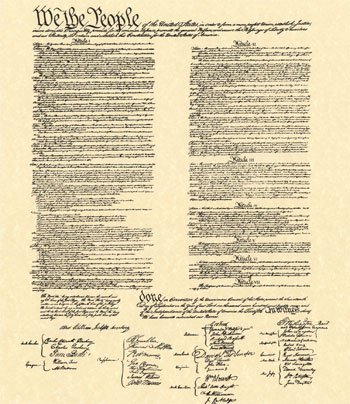
Then read ours.  The U.S. Constitution.  Remember this?
We the People of the United States, in Order to form a more perfect Union, establish Justice, insure domestic Tranquility, provide for the common defense, promote the general Welfare, and secure the Blessings of Liberty to ourselves and our Posterity, do ordain and establish this Constitution for the United States of America....
I love Google for so many things.  Its dedication to quality.  Its dependability.  Its zeal for moving forward and developing new things.  And I think I love Google because it exemplifies something that I believe is critical for every human being: a love of learning.

5/31/13

How I Use Feedly, Pocket, and Evernote to Sort Through 1000s of Articles and Posts Each Day

Part of my work involves research and part of that research includes keeping up to date with news stories and fresh articles on a variety of topics.  I can easily cull through 1000 - 2000 headlines each day, and after a couple of clients asked how to do this for themselves, I thought I'd share it with you, Dear Reader.

1.  Freeware I Recommend:  Feedly, Pocket, and Evernote

First, I use free Windows versions of Feedly, Pocket, and Evernote.  Get them.  Why these three?  They work well - you can't beat the price - and they are very user-friendly.  Fast, fun tools that do the job.

2.  Set up Feedly for a Fast Read.

I have set up Feedly so the view is "headlines-only" for my research stuff.  Feedly calls this its "title-only" view, choose it for your particular collection by clicking on the far-left option in the row of images in the Feedly home page's top right corner.

I have some collections where images appear -- food, interior decorating -- but that's personal, fun stuff.  Images slow me down when I'm going through lots of content.

3.  Set up Feedly Topics That Make Sense.

One thing I watch are the Top 10 Blogs as determined by Technorati.  Why?  It helps me understand what people are wanting to read, both for myself as well as for my clients.  So, I have a Feedly collection that is titled "Top 10 Blogs" and while the feeds within this collection are rather divergent, the overall theme makes sense to me -- and can be quite revealing when a common thread starts to appear in very different sources.


Above: Here is a screen shot of my Feedly feed collection of "Top 10 Blogs" today.


4.  Read The Headlines and Pick Only Things Worth More of Your Time.

Writers may write headlines or blog post titles that they think are fun, maybe witty - but if that title or headline doesn't give me information on what the content of the article (post) itself provides, then I don't have time to investigate.  Title your post "Whoa" and I'm gonna surf right by it.  Title your post "Whoa, Supreme Court surprise ruling in copyright case" and I'm interested in learning more.  Helpful hint: Be selective here. Don't pick more than you need.  


Above:  I've chosen one article here, published in Ars Technica, to read in more detail. 


5.  Pull the interesting article from Feedly into Pocket.

Using Google Chrome, I right click on the Feedly headline and choose the option "Save to Pocket."  I don't go into Pocket, I continue through Feedly until I've completed going through all my Feeds and have reached the pretty blue Feedly screen that tells me I'm all done.


6.  Once Feedly has been read through, then I go to Pocket.

After I've read through say 500 article titles (headlines) in Feedly, I've sorted through them so I only have a handful to consider in Pocket.  I close Feedly, move to Pocket.  Here, I read through the blurbs provided by Pocket and decide if the article bears further time investment.

I do this for all my Pocket saves.  In Pocket, I will organize these saves by Tabs.  For short term use, say an article to send with some discussion to a client, I tab the article with the client's name and in my afternoon email session, I'll pull it from Pocket and forward it along.  For long term use of an article, I move the article to Evernote.


Above:  Here is the Ars Technica article saved to Pocket after I read its title in Feedly.

7.  Articles warranting inclusion in my research stacks get moved from Pocket to Evernote.

There will be a few articles that I think are good enough to include in my research stacks.  These articles get clipped using the Evernote WebClipper into Evernote.


Above:  Here is the same Ars Technica article as shown in Pocket being clipped into Evernote.

Initially, I put them in a big "Pocket Stuff" notebook in my Evernote library.  When I get to my research block of time, one of the first things I do is organize that Pocket Stuff notebook and move things to their proper notebook in my Evernote world.

For instance, I have an ongoing research project on the drug cartels that have entered South Texas.  I may move something from my Pocket Stuff notebook to the "STxDrugCartels" notebook and feel comforted that when I get back to that project, I've already got accumulated news stories, articles, etc. sorted into the proper folder for my review.

Whew.  Hope this helps you.

2/27/12

Yahoo! Alerts: Another Good Source for Blog Post Topics

I've been using Yahoo! Alerts for a couple of months now, and I'm very happy with the service. 

Last November, I wrote about Google Alerts, Social Mention, etc. and they are also nice.  However, I am particularly happy with how Yahoo!Alerts is popping up with information for me.

Now, admittedly I am only using one aspect of Yahoo! Alerts: their News Alerts, where I choose keywords and then receive summaries in email of top news stories that correspond to those keywords.  For example, I have Yahoo! Alerts set up for "copyright infringement" and "blogging."

However, the service offers a lot of options, and you may find other things more to your liking.  Check it out. 

Interestingly, once I have notice of the news story or blog post via Yahoo! Alerts, I still tend to pop over into Google to investigate what's up and find more information for what I'm writing.

1/4/12

Sources of Info for Your Blog Posts: Site Organizing News by State

Here’s a site that I recommend to my clients for their blogging and which I’ve used myself for several years now:  US News by State.
It not only provides news stories that are breaking in the various states, it also lists the larger cities or metropolitan areas within those states.  That’s great but it gets better than that: within these lists, the various news stories (hyperlinked to their sources) are provided outlet by outlet. 
For example, within the Dallas-Fort Worth metroplex, the top news stories are listed (with time and date) for:
  • Dallas Business Journal
  • Dallas KTVT
  • Dallas KXAS
  • Dallas WFAA
  • Fort Worth Star Telegram (three versions)
There’s also a search feature.
Of course, not all media sources are included here.  The Dallas Morning News is absent from the above list, and it’s a major player in that market.  If I were writing about something dealing with Dallas or Fort Worth or the surrounding area, you betcha that I would also go and check out the latest at the Dallas Morning News site.
What Do You Do With the News Stories?
Once you’ve got a list of news stories, then you’ve got a springboard for your next post.  It’s great because it’s local and local coverage is excellent for most blogs. Especially law blogs.
However, for any blogger, news stories can be something that you can hyperlink within your post as you discuss something relevant to that post.
For instance, I coauthor a blog with Terry Lenamon that deals exclusively with the death penalty.  In the Fort Worth Star Telegram today there is a story by Anna Tinsley entitled “Texas still top state for the death penalty.” 
I will read this story for a possible link within a post on Terry Lenamon on the Death Penalty.  Terry’s not in Texas, so it would serve only as a secondary link – Texas lead in the death penalty stats is a bigger story in Fort Worth than in it is Miami.  This story may be helpful to fuel the fires for how Florida ranks in the death penalty, what Florida’s Powers that Be are doing in 2012 about the death penalty, etc.
You get the idea. 

1/2/12

Could Evernote Help You As You Write Your Blog Posts? I Think So.

A software guru that I respect recommended Evernote to me last month as a time-saving bit of software and I’ve been working with it for around a month now. 
I like it, maybe you will too.  You’ve got to like the price:  the basic version is free.   
So What is Evernote?
Evernote is software that you download onto your hard drive and it pops up in your internet search engine:  IE, Firefox, Chrome, whatever.  There’s also a little icon on your desktop; all this coordinates to provide you a platform for organizing stuff you find on the web.  You can save different things: the url for the webpage; an excerpt or article on that page; or you can store the complete page from its banner ads to its boilerplate footers.
Of course, it also works on your phone and your other stuff too.  Sync smart.
For the description the Evernote folk provide, go here.
What Have I Found?  It’s Easy and Fast, and There’s a Size Limit for the Free Version
I’m still trying out all its bells and whistles but I know Evernote is a keeper, and for those who write blog posts regularly, I think it’s a good tool to have in your toolbox, too. 
I’m not using the notes feature, but I have been routinely clicking on the green elephant to save stuff that I find on the web that I want to use in future blog posts for myself as well as forwarding to clients for their consideration in their posting. 
For example, I don’t have a lot of interest in blogging about the latest developments in the legal battles involving Florida’s disgraced attorney, David J. Stern and his foreclosure-focused law firm, but I have a client that is very interested in this stuff.  When I read an interesting article about the latest acts that the Florida AG was undertaking, I thought this might good for my client and quickly hit the elephant button.  Saved the url. 
Zip zip. 
No bookmarking.  Hate to clutter my bookmarks with this stuff.
No notes either on paper or on my PC’s sticky notes or on my iGoogle page.
I was back surfing almost immediately.
Bottom line, I am finding Evernote fast and easy to use for saving web stuff that I might want to use later.  The little button is the big help.
For more on Evernote, check out their descriptions of its various functions as well as watch their cool videos on things like Evernote Clearly, Evernote Food, Evernote Hello, Evernote Peek, and other freebies they offer.  
For what other users think as well as techie experts, check out the reviews of Evernote on CNET and AppBrain.
Oh, and Evernote was one of the top apps recommended by the New York Times last year – if you want to read old news. 

11/14/11

Why I Use Google Scholar In My Blog Posts

The more I use Google Scholar, the more I like it.  I think you will, too.  I always use Google Scholar, for example, to hyperlink cases or statutes or law review articles in blog posts because:

1.  it's free;
2.  it's easy for readers to access (no subscription hurdle);
3.  it's reliable;
4.  (best of all) within the document, Google Scholar hyperlinks citations for ready reference; and
5.  there's a Shepardizing of sorts provided, too.

For example, click here to check out New York Times v. Sullivan, 376 U.S. 254 (1964) on Google Scholar.  Nice, huh?

11/7/11

Google Alerts, Social Mention, and Spiral 16: Tracking Topics and Trends on the Web

Hopefully, you are aware of Google Alerts, a tool provided by Google, for free (as always) that notifies you when your name, your product, or just about anything under the sun is being discussed online. Google Alerts will let you know if your name has made the local news, for example, or if your daughter's soccer team got mentioned for winning regionals.

There are other sites that can help you keep track of things, too - Google isn't alone out there. Here are two for you to try:

1. Spiral 16

2. Social Mention.

Both of these services provide similar information to Google Alerts, but they target social media and they give more info to you than just links. Check them out, they are useful tools for you.

How?  Names are just one thing to search.  I have alerts set up, for example, under the phrase "death penalty" because I co-author a blog on capital punishment. (FYI, I also have an alert set up for that topic at Google Scholar, it's proven to be very helpful, too.)

2/6/11

How to Cite Websites as Primary Sources: Library of Congress Provides Fast Reference to Chicago, MLA

The Library of Congress offers a fast and easy to follow reference resource for proper citation under either Chicago (Chicago Manual of Style, 15th ed., sections 17.270, 17.237) or MLA (MLA Handbook, 6th ed., section 5.9.2).

Jump from the Library's overview page to its nice, short itemization of Chicago or MLA


For example, from here you can find how the Chicago Manual of Style references proper citation to online legal documents and government publications as a primary source in your work (Chicago Manual of Style, 15th ed., sections 17.270, 17.270):

1.Creator’s last name, first name, middle initial (or filmographer’s name if no director is specified, but indicate role).
2.Author’s last name, first name, middle initial (if given).
3.Title of document (subsection is placed in quotes, followed by title in italics).
4.Format (omit if it is a printed page).
5.Publisher city: publishing company, copyright date (include as much information as possible such as page numbers).
6.Source (From Library of Congress in normal font), Collection name with dates (in italics).
7.Medium (software requirement needed to access source).
8.URL (use bibliographic record URL or shorter digital id if available at bottom of bib record).
9.Accessed date (in parenthesis).

7/13/10

What is Great Writing: The New Rules for Judging Great Content Because the Traditional Rules are Dead

As promised, Ben Elowitz at Paid Content has defined the four rules that he thinks must be used to judge great writing in the digital age in his May 2010 article, "The New Rules for Judging Quality in Published Content."  

This is the second part promised in his earlier article discussing how the traditional methods for judging great writing don't work in a world where content appears on the screen instead of on the page.  Making such broad statements as being published in the New York Times isn't a big deal anymore did bring Mr. Elowitz some flack.  After all, weren't we all raised to think that having your work appear in the NYT was the ultimate accomplishment?  Well, at least one of them?

Elowitz's Four Rules for Great Writing on the Web

I wasn't too sure if I agreed with Elowitz after reading his first piece.  However, I'm in total agreement with the four rules he provides us as the "New Rules," which are -- in my words, not his:

1. relevance to the reader, not the editor -- the content needs to be focused upon the reader's wants/needs.  What do those surfing the web want or need to know? 

2. technological component -- content can, and should, creatively include those benefits that the web has to offer (visuals, links, etc.) (Elowitz calls this co-dependence an "experience").  Consider the podcasts, videos, audios, etc.  I just saw an article in the Texas Tribune, for example, that made audio excerpts of an interview available at the end of each content paragraph, in case you wanted to listen to the question and answer as well as read about it. 

3. perspective -- the same information can, and will, be provided in many different places on the web, so great content must have its flair - a twist that makes the reader want to read its version of the story over another option out there.  He uses Huffington Post as an example here.  I'm thinking it's the reason why TMZ survives right alongside E!, Popsugar, and all the rest. 

4. buzzability -- the content has to invite sharing on the web via tweets or stumbles or diggs or "like it!" as well as being search engine index friendly (SEO is important, people!!!!).  It's true that content I find interesting is something that I want to share -- and I'm annoyed if it isn't easily tweetable.  It's also true that great content that isn't search engine optimized probably isn't getting read by anyone, because no one knows it's there to read in the first place.

Is Elowitz right?  Google and Yahoo seem to think so .....

Before you dismiss Elowitz as trendy or foolish or naive, consider that Google News now allows its readers to personalize the version of the Google News page that they see when they click on the site.  Readers are choosing what they want to read on the news site, not editors. 

And, consider Yahoo!'s new blog, The Upshot -- where eight journalists are essentially going through the Yahoo! News results, and blogging about the upcoming, trending stories.  The journalists aren't deciding what's going onto the blog -- the people surfing the web and going through the Yahoo! news search engine are collectively deciding its content. 

Me? What do I think about Elowitz's Four Rules of Great Writing?

I think Elowitz is right on the money.  And, as for Google vs. Yahoo ... well, I've personalized my Google News page.  I have never read much less bookmarked the Upshot.  I don't feel the need for a blogger to feed me the news via blog post. 

Why not?  I can surf thru the stories just fine, all by myself.  Which is the attitude and ability that is fueling this entire metamorphosis, isn't it?

5/19/10

What is Great Writing: How Digital Content is Judged Differently Than Print

Ben Elowitz at PaidContent has just published the first of his two-part analysis on what constitutes great content, now that we're well into the digital age.  Taking the four pillars used by traditionalists -- credential, correctness, objectivity, and craftsmanship -- he opines on each, and how these criteria do not work in today's internet age.

For example, Elowitz discusses how the heady feeling of having your work published in The New York Times (credential) isn't as important now.  Readers are looking for content that helps them -- focusing on the content itself -- much more than they are concerned with the source of that information. 

What Elowitz is putting out on the table needs to be read.  He's thought about these issues, and he has points to make.

However, I don't know that I can go so far as to agree with him that these tradtional methods are "useless."  That may be going too far. 

Credentials still mean something to me, for example -- and I think they still mean something to readers, too.  I do check the source of the content I'm reading and a reputable source does carry more weight with me.  I believe that The New York Times still stands for something. 

Credentials may be less powerful than they once were, but they still exist and still count. 

6/28/09

Bing is up and running but I'm more interested in WolframAlpha


There's another "thinking" search engine for you to try out -- Bing -- and so far, I'm not impressed. Maybe it's too new, and it'll get better with time.

You remember Cuil, right?

Meanwhile, I'm keeping a closer watch on Wolfram Alpha. Which isn't a search engine per se ... instead it's a "computational knowledge" gizmo. Yeah, right.

More on how Wolfram Alpha is better than Google ... for some things ... over at Mashable. I like this, I mean why not go the next step instead of trying to out-Google Google? Isn't that Yahoo's job?

And, fine. I think I just like the name WolframAlpha. It's so perfect it should be in a Heinlein novel.

Pictured: WolframAlpha's one page summary.

7/29/08

How Cool is The New Search Engine Cuil? One Writer's Opinion

Cuil.com is up and running - and it's set itself up to challenge Google, claiming an even bigger index of websites than Google. In fact, Cuil is boasting to have indexed THREE times more websites than any other search engine (Google or otherwise). That's over 120 billion pages.

For those writing for the web, cuil.com should be interesting to watch because it's also claiming to be checking content and thereafter ranking sites in search engine results differently than Google does. Does cuil care about keywords and key phrases and site maps? I don't know that they do .... according to PC Mag's Chris Gampat, Cuil "... ranks pages based on relevance, rather than popularity based on link analysis, as Google does, and analyzes the context of the page and the concept behind queries."

How does it work? Well, I've done a couple of test searches on Cuil, Google, and Yahoo and if I were Google or Yahoo, I wouldn't be worried just yet. Cuil didn't give me what I wanted in the top 10 results by a longshot.

Not a quality result in any of my test runs. For example, when I searched for my own name, I got a lots of obits, along with real estate commercial listing info for a woman who shares my name and lives in a different state, and other skipping stone type of data.

Same thing when I did a couple of other searches, looking for topical stuff. Like "Caylee Anthony" - first page of search results is giving me stuff on Caylee Monique McCosker's obit, and something called "the ultimate KAYLEIGH eliminator." Right. NOTHING on the first page about the missing 3 year old the entire country is talking about today.

Not helpful, and not impressive. Maybe Cuil is new, and this will change.

I do like Cuil's result format. Three column, paragraphs, the occasional image. That's nice.

More on Cuil:

PCMag - Hands On with the New "Cuil" Search Engine
PCWorld - Cuil Stumbles Out of the Gate
Computer World - Ex-Googler's Search Engine Draws Fanfare, but testers prefer Google
The Motley Fool - Will Cuil Kill Google? Probably Not

12/15/07

Google Announces KNOL - Is it a Good Thing, or An Expanding Tool of Evil?

We all know that Google is against Evil: it's part of their posted Corporate Philosophy (see no. 6).

So, yesterday's announcement -- of Google's latest offering, KNOL -- must be a good thing, right? Well, let's ponder this for a moment.

Considering the Source

There are folk out there that just don't trust Google. Last year, Adam Penenberg's well written article at MotherJones.Com described Google as "...the greatest threat to privacy ever known, a vast informational honey pot that attracts hackers, crackers, online thieves, and—perhaps most worrisome of all—a government intent on finding convenient ways to spy on its own citizenry." (I just love how he used the phrase 'honey pot,' don't you?)

There are even websites created and maintained solely for the purpose of monitoring Google as an evildoer, including GoogleWatch.Org and IsGoogleEvil.Com.

GoogleWatch doesn't believe that Google is pure evil, but does state that Google is a "privacy time bomb," and gives some pretty scary arguments supporting its position. They report things like Google hires spooks (Google engineer Matt Cutts used to work for the National Security Agency) and Google records everything it can and doesn't tell what all it knows.

IsGoogleEvil.Com hasn't posted in a year, but their blog has lots of stuff that still makes valid points, like (1) everytime you use your Google Toolbar, Google's expanding its stored information on you, along with the sites you surf; and (2) it's possible that Google can database your hard drive with its Desktop Search feature.

Considering KNOL

First, here's what Google has to say about its new venture: "We believe that many do not share that knowledge today simply because it is not easy enough to do that. The challenge posed to us by Larry, Sergey and Eric was to find a way to help people share their knowledge. This is our main goal."

With KNOL, separate web pages will appear on specific topics with the author being credited for their creation and content. There can be many KNOLs (knols being used as "units of knowledge") on the same topic, and one author can create as many KNOLs as she likes.

It will be free. It will come with lots of helpful tools to make the KNOLs "well organized, nicely presented, ... [with a] distinct look and feel." The author can include lots of links to other sites with info, as well as place advertising on his KNOL.

As for 2.0 issues, readers can submit comments or ask questions, as well as expanding the KNOL by offering edits or additional content. Readers will be able to rank KNOLs, and write reviews of KNOLs.

For a sample KNOL, check out this Google example by author Rachel Manber.

What's Happening Here?

There's a lot of hoopla right now that KNOL is Google's direct challenge to Wikipedia, and lots of online discussion is taking place on the viability of this threat. CNET's got Wikipedia's founder crying bring it on, and Bloomberg's just flat out labeling them direct competitors.

Personally, without having seen KNOL online yet, I don't know that we can be totally sure about KNOL's place in the world - but I tend to think it's more of a competitor to Squidoo and About.Com than Wikipedia, outright.

At Squidoo, you find author-recognized webpages on specific topics, just like KNOL promises. (Squidoo calls them "lenses.") Comments, check. Advertising, check. Ranking, check.

Over at About.Com, you've also got authors providing articles on specific topics, but not everyone is free to write an article (you have to be a selected "guide"). (Of course they're not -- About.Com is owned by The New York Times, and obviously they can't have just anyone writing for it....) However, About.Com does provide for comments, and it claims over 1.7 million articles to date.

It's true that Wikipedians sometimes jerk around and provide bad content, and an author directly responsible for content on that topic's page might serve to decrease this accuracy problem. Copyright infringement concerns could also be handled much better with an author accountable for article content.

Google may have something here, if KNOL's goal is an encyclopedic wiki of all things, everywhere. I'm especially interested in hearing what Eric Goldman has to say, since he's been betting on Wikipedia's demise by the year 2010 for several years now over at his Technology & Marketing Law blog.

However, I appreciate Wikipedia's collaborative approach and I go there all the time. Squidoo, don't go there, don't care to start. About.com, maybe. Sometimes.

I don't trust Wikipedia as more than a starting off-place (kinda like reading TexJur in my young lawyer days) but it's a good one. Google's going to have to give me a helluva lot to change that.

And, I confess that I am wondering why the heck Google sees the need to do this, anyway. Surely they've got more than enough to do when I still go to Google, Yahoo, and Ask in searching, since each engine gives me such different responses to the same query. (And, surely the Watchdogs of Evil will have their theories.)

And maybe that's all this is: two years from now, I'll go to Wikipedia and Knol just like I go to Google and Yahoo and Ask today. We'll see.
11/6/07

Read Print is a Great Find

Read Print is a great site -- it offers lots of free access to classic works of literature, plus the complete works of Shakespeare. An added feature is a list of articles covering a range of writing-related issues: what is a sonnet? how to write a magazine article? Lots of fun, and there are coupons too! Nice.

No compensation has been received for this review.

10/15/07

Online Research: Don't Stop At Google

When doing online research, it's tempting to use Google and stop there. Don't.

Check out the different search results I retrieved this morning for the one word search "writing" using Google, Yahoo, and Ask (sponsored links excluded, of course). Only Writing.Com appears within the top 5 results on all three search engines:

Google gave me:

Writing.Com
Writers, Writing, Poetry, Creative Writing, Fiction ... Writing.Com is the online community for creative writing, fiction writing, story writing, poetry writing, writing contests, writing portfolios, writing help ...
www.writing.com/ - 45k - Cached - Similar pages

Writing - Wikipedia, the free encyclopedia
Writing, is the representation of language in a textual medium; that is with the use of signs or symbols. It is distinguished from illustration such as cave ...
en.wikipedia.org/wiki/Writing - 61k - Cached - Similar pages

Guide to Grammar and Writing
The Guide to Grammar and Writing contains scores of digital handouts on grammar and English usage, over 170 computer-graded quizzes, recommendations on ...
grammar.ccc.commnet.edu/grammar/ - 23k - Cached - Similar pages

Writing.org
Advice for Freelance WritersArticles to help you launch a freelance writing career, from a former literary agent and PLAYBOY editor.
www.writing.org/ - 21k - Cached - Similar pages

Writing
A quality educational site offering 5000+ FREE printable theme units, word puzzles, writing forms, book report forms,math, ideas, lessons and much more.www.abcteach.com/directory/basics/writing/ - 31k - Cached - Similar pages

Yahoo gave me:

Writing - Wikipedia, the free encyclopedia
Illustration of a scribe writing ... Writing is also a distinctly human activity. ... Such writing has been speculatively designated as coincidental. ...
Quick Links: Introduction - Means for recording information - Writing systems
en.wikipedia.org/wiki/Writing - 61k

Writing.Com
Online community for readers and writers of all ages, interests, and skill levels.www.writing.com - 44k

Purdue University Writing Lab
Information about services offered, plus handouts for students and teachers.owl.english.purdue.edu - 8k

OWL Handouts Listed by Topic
... have an entire section on using our Writing Lab and our OWL in various courses. ... Coping with Writing Anxiety. Developing an Outline. Sample Outline. Non ...owl.english.purdue.edu/handouts/index2.html - 33k - Cached

Pages tagged with "writing" on del.icio.us
... steinmetz to computer writing typewriter typography simple tools ... citizenhelder to moleskine productivity lifehacks gtd hacks writing creativity ...del.icio.us/tag/writing - 16k - Cached


Ask gave me:

Writing-World.com
Writing articles and resources. Tips about how to become a better writer, get published and find writing markets. From Moira Allen.
www.writing-world.com/ www.writing-world.com/ · Cached

Writing.com
An online community dedicated to fostering writing skills. With a free membership anyone may read, write, rate, and review works.
www.writing.com/ www.writing.com/ · Cached

The Writery
Newsletter of the campus' writing assistance program.
www.missouri.edu/~writery/

Purdue Online Writing Lab
Collection of handouts on all aspects of writing, from spelling to plagiarism, plus grammar exercises with answer keys, job search workshop, ...
owl.english.purdue.edu/ · Cached

Writing.org
Articles to help you launch a freelance writing career, from a former literary agent and PLAYBOY editor.
www.writing.org/ www.writing.org/ · Cached
